Why Every Creator Needs a Content Calendar: An Overview
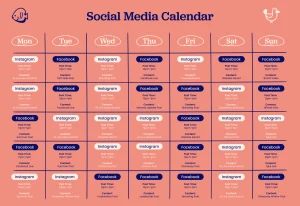
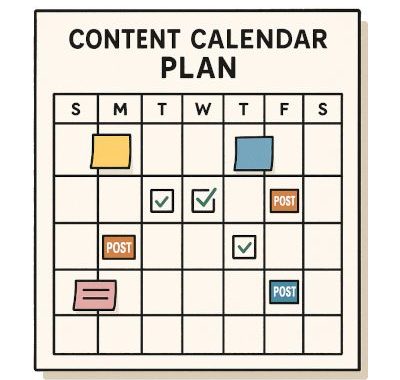
Somewhere out there right now, a creator is staring at their phone at 11 PM, panicking because they haven’t posted anything in four days and have absolutely no idea what to put up next. Then, a few accounts over, another creator has already scheduled next week’s content, knows exactly what’s going live tomorrow, and is spending their evening actually resting. The difference between these two people usually isn’t talent. It’s a content calendar. This post kicks off a new stretch of our blog series, moving from digital marketing basics and AI tools into the world of social media and the creator economy. We’re starting with a tool that sounds almost too simple to matter — until you try running a page without one. What a Content Calendar Actually Is A content calendar is a planned schedule that maps out what you’ll post, where you’ll post it, and when — usually laid out across days, weeks, or months ahead of time. Instead of deciding what to share the moment you open an app, everything is mapped out in advance: the topic, the format, the caption direction, sometimes even the exact publish time. It turns social media from a reactive scramble into a planned, intentional rhythm. Why This Matters So Much More Than It Sounds Posting without a plan often feels fine for the first week or two. Then reality sets in — busy days show up, motivation dips, and suddenly there’s a scramble to post something, anything, just to avoid going silent. That scramble almost always produces weaker content than something planned with a clear head. A calendar solves several problems at once:
It removes daily decision fatigue. You’ve already decided what’s going up. There’s no scrambling for ideas in the moment. It keeps your posting consistent. Platforms tend to reward accounts that show up regularly, and audiences build trust with creators who don’t randomly disappear for weeks. It lets you plan around real-world moments. Holidays, product launches, seasonal trends — all of it is far easier to prepare for when you’re looking a month ahead instead of scrambling the morning of. It reveals gaps and repetition. Without a visual layout, it’s easy to accidentally post the same type of content five times in a row, or forget an entire content type altogether. What Goes Inside a Content Calendar A simple, beginner-friendly content calendar usually includes: The date and platform — when it’s going live, and where (Instagram, YouTube, LinkedIn, etc.) The content type — a reel, a carousel post, a written update, a video The core topic or hook — the main idea or angle the post revolves around The caption direction — a rough draft or key points, not necessarily the final polished text A call-to-action — what you want the viewer to do afterward: comment, share, click a link, save the post You don’t need fancy software to start. For novices, a straightforward spreadsheet or simply a notebook broken up into weeks is ideal. A Real Example of How This Plays Out Imagine someone managing a modest Instagram feed dedicated to plant maintenance.. Without a calendar, she might post whenever she remembers, often repeating similar “watering tips” content because it’s the easiest thing to think of on the spot. With a calendar, she instead maps out a full month ahead: Mondays are quick care tips, Wednesdays feature a specific plant spotlight, and Fridays are for community questions pulled from her comments. Suddenly, her page feels structured, varied, and far more engaging — not because she suddenly became more creative, but because planning gave her creativity room to actually show up. Common Mistakes Beginners Make Overplanning too rigidly. A calendar ought to direct you rather than ensnare you.. If something timely or trending comes up, it’s fine to swap a planned post for something more relevant in the moment. Only planning topics, never formats. Repeating the exact same post style — always a static image, for instance — tends to bore an audience faster than varying between reels, carousels, and text posts. Ignoring performance data. A “set it and forget it” approach is not appropriate for a calendar. document. Revisiting what actually performed well helps you adjust future weeks more intelligently. Building it once and never revisiting it. The best calendars evolve — noticing patterns, dropping what doesn’t work, and doubling down on what genuinely resonates with your specific audience.
How to Build Your First Content Calendar Step 1: Pick a timeframe to start with — a single week is plenty for beginners, rather than attempting an entire quarter right away. Step 2: List your platforms and how often you realistically want to post on each. Step 3: Brainstorm rough topics or themes for each planned post, keeping a mix of formats in mind. Step 4: Fill in specific dates, leaving room for flexibility if something timely comes up. Step 5: Review afterward — what performed well, what felt like a struggle to create, and adjust your next round accordingly. Why This Skill Carries Weight Beyond Just Posting A content calendar isn’t just an organizational trick — it reflects a deeper shift in mindset, from reacting moment-to-moment to building with intention. Creators who plan ahead tend to build stronger, more recognizable identities over time, simply because their content has room to be thought through rather than rushed. Create three to four recurring pillars for your calendar, such as 40% education, 30% entertainment, 20% behind-the-scenes, and 10% community. To establish a consistent visual style, set aside particular days to script, shoot, and edit content in large quantities. Set a sustainable pace (e.g., three shorts each week, one long-form video every two weeks) to avoid sudden, identity-damaging absences.. Determine how a single anchor piece of material may be safely translated into text, audio, or short-form video for many platforms without weakening the main point.What’s Next? Now that you have a system for planning what to post, the next natural question becomes:how do these platforms actually decide who sees it? In the next post, we’ll pull back the curtain on how Instagram, YouTube, and LinkedIn each handle their algorithms differently — and what that means for your content strategy.